19.10.2026
Why Desk Ergonomics Matters in Modern Office Planning
Desk ergonomics directly determines whether sustained computer work preserves physical wellbeing and mental endurance or leads to chronic musculoskeletal fatigue. When corporate staff sit at work surfaces of improper height, inadequate depth, or poorly planned structural clearances, the human body instinctively compensates through forward head postures, rounded shoulders, and lumbar strain. Over time, these suboptimal biomechanical patterns translate into physical discomfort, reduced operational focus, and frequent breaks caused by physical fatigue. Choosing an anatomically supportive desk provides the physical foundation necessary to sustain natural spinal alignment and unhindered movement throughout the working day.
For corporate procurement officers, facility directors, and interior architects, desk selection cannot be treated as a purely aesthetic exercise. The fundamental principles behind things to consider when choosing office furniture intersect directly with employee occupational health and daily efficiency. From unobstructed knee clearance to glare-resistant surface materials and intelligent wire routing, every physical component either facilitates or impairs the user's posture.
What Are the Key Criteria for an Ergonomic Desk?
An ergonomically sound desk surface enables users to perform everyday computing and administrative tasks without placing stress on the neck, shoulders, forearms, or lumbar spine. The initial factor to analyze is the structural height of the worktop relative to the user's seated elbow position. In commercial environments with fixed-height furniture, industry practice standardizes desk tops between 72 and 75 centimeters above finished floor level. At this elevation, the seated user's forearms should rest parallel to the desktop with elbows bent at approximately a ninety-degree angle, keeping the shoulder girdle completely relaxed.
Surface depth and overall workspace width are equally critical because they dictate focal distance and equipment layout. As contemporary office spaces transition toward dual monitors and widescreen setups, shallow desks place screens within the user's immediate visual field, increasing optical strain. A surface depth of at least 70 to 80 centimeters provides sufficient viewing distance while leaving ample clearance for forearm support forward of the keyboard. Furthermore, generous unobstructed clearance beneath the desk allows the lower extremities to flex and extend naturally, promoting healthy circulatory flow in the legs throughout long desk sessions.
In collaborative open-plan layouts, multi-station configurations are frequently preferred over isolated desking units. Engineered benching systems such as modular workstation desks combine integrated wire-management raceways with privacy screening. These configurations ensure consistent ergonomic geometry across extensive work areas while optimizing spatial density without crowding the user's physical envelope.
Harmonizing Desks and Task Chairs: Holistic Posture Health
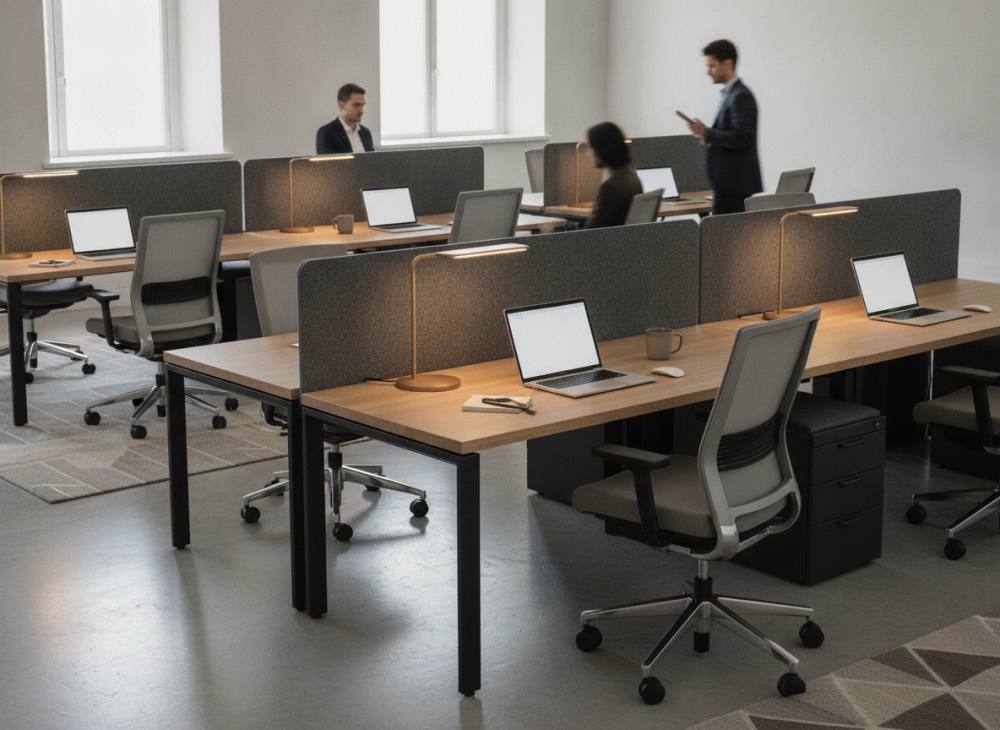
An office desk cannot function in ergonomic isolation; it acts as one half of a continuous posture system alongside the task chair. When the work surface and chair fail to interface correctly, overall ergonomics collapse. The front edge and underside of the desk surface must allow the armrests of an ergonomic task chair to slide underneath smoothly, ensuring the occupant sits close enough to touch the work surface without leaning forward away from the chair's lumbar support.
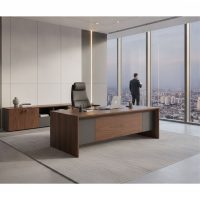
Carefully planned work desks provide adequate clearance for diverse chair mechanisms, swivel bases, and foot positions. When an employee's feet rest firmly on the floor and their elbows align with the desktop edge, mechanical load on the cervical and thoracic spine is distributed evenly. The same ergonomic criteria apply equally to managerial suites; executive desk dimensions must respect functional proportions and anatomical clearances regardless of their visual stature or luxury materials.
Evaluation Framework for Ergonomic Office Desks
Corporate procurement teams and project managers evaluating desk models during space planning should assess functional performance using clear, qualitative criteria:
| Ergonomic Criterion | Evaluation Method | Physical Comfort Impact | Audit Frequency |
|---|---|---|---|
| Worktop Height | Elbow alignment and relaxed shoulder audit | High impact on cervical and shoulder relief | Initial setup and staff onboarding |
| Surface Depth | Display focal distance and arm support check | High impact on visual and posture balance | IT hardware upgrades |
| Under-Desk Clearance | Lower limb mobility and knee clearance check | Moderate impact on lower-body circulation | Pedestal and storage placement |
| Cable Infrastructure | Grommet, tray, and wire pathway verification | Moderate impact on unhindered movement | Periodic facility reviews |
Note: For definitive measurement, Search Console, Analytics, or primary internal sources should be consulted; no fabricated numbers are included here.
Common Ergonomic Mistakes Made During Desk Procurement
When aesthetic impressions overshadow ergonomic functional requirements in corporate design, workspaces risk compromising daily user wellbeing. Several recurring oversights frequently undermine ergonomic effectiveness:
- Prioritizing External Form Over Leg Clearance: Choosing decorative frames or wide structural modesty panels that impede free leg movement, forcing users to angle their legs awkwardly sideways.
- Improper Pedestal Positioning: Placing fixed under-desk storage drawer units directly within the user's center seating zone, severely restricting knee clearance and inducing asymmetric spinal twisting.
- Selecting Inadequate Surface Dimensions: Installing compact desks that cannot simultaneously accommodate dual monitors, keyboards, documentation, and mice, which forces employees to reach unnaturally outward.
- Specifying High-Gloss Reflective Surfaces: Using high-sheen lacquers or polished surfaces that reflect overhead architectural luminaires, causing optical glare and persistent eyestrain.
- Neglecting Structural Cable Pathways: Leaving power bricks, network wires, and monitor cables unsecured across work surfaces and floor cavities, which limits usable desktop space and obstructs foot movement.
Strategic Desk Selection in Corporate Office Projects
Furnishing an enterprise environment requires an understanding of how distinct departments operate on a daily basis. Administrative, legal, and financial teams handling physical binders and paper documentation benefit from deeper work surfaces complemented by lateral credenzas. In contrast, software development, data analytics, and graphic engineering teams require rigid, heavy-duty frames capable of accommodating multi-monitor articulating arms without table sway.
When developing open layouts, establishing professional workspaces with modern office furniture with integrated acoustic privacy screens dampens conversational distractions and supports sustained cognitive focus. Utilizing scratch-resistant, matte-finish laminate or melamine surfaces eliminates disruptive light glare while offering robust durability across high-traffic enterprise environments.
Frequently Asked Questions
What is the standard recommended height for an office desk?
Fixed commercial desks typically range from 72 to 75 centimeters in height. Because individual stature varies, the desk should be paired with an adjustable task chair so the user's forearms rest horizontal to the work surface without elevation of the shoulder girdle.
Why is desk depth crucial for computer users?
Desks shallower than 70 centimeters force monitors uncomfortably close to the user's eyes, increasing visual fatigue. Proper depth ensures an arm's length viewing distance to the screen while preserving ample room in front of the keyboard for wrist and forearm support.
How do workstation desks improve ergonomics in open-plan offices?
Workstation systems feature built-in wire channels, modesty screens, and organized power access. By eliminating desktop clutter and maintaining standardized spatial proportions, they ensure every team member has a consistent, ergonomically compliant workspace.
Are curved or straight-edged desks more ergonomic?
Desks featuring softly beveled, chamfered, or post-formed front edges are generally more ergonomic than sharp, ninety-degree edges. Eased borders prevent localized pressure on the soft tissue, nerves, and blood vessels of the forearms and wrists during repetitive keyboard and mouse use.
Planning Your Workspaces with an Architectural Perspective
Thoughtfully configured office furniture reinforces corporate identity while preserving the physical stamina and daily comfort of your workforce. Aligning surface dimensions, legroom clearances, and storage placement with the operational habits of your personnel ensures a workspace that remains functional for years to come. To explore tailored ergonomic furniture layouts suited to your commercial floor plans, contact our team to discuss your upcoming project requirements.