12.11.2026
Office Furniture Ergonomics and Employee Productivity Guide
In corporate workplace planning, the direct link between physical comfort and sustained cognitive performance forms the foundation of modern interior architecture. Office furniture ergonomics is far more than a preventative health measure designed to alleviate physical aches; it serves as a critical strategic infrastructure that sustains daily mental focus, accelerates decision-making processes, and safeguards corporate operational performance. An improperly designed task chair or a desk positioned at an incorrect working height drains an employee's energy reserves throughout the day, introducing continuous micro-distractions and unforced cognitive downtime.
During standard business operations, knowledge workers spend the vast majority of their eight-hour working day seated at workstations. Meeting their biomechanical requirements is an indispensable prerequisite for companies seeking to protect and retain valuable human capital. Whether outfitting an expansive open-plan operational floor or curating a prestigious executive management suite, implementing modular, adaptable furniture solutions elevates overall workplace culture and day-to-day organizational output.
Core Principles of Ergonomics in Office Furniture and Workplace Dynamics
The core discipline of workplace ergonomics requires the physical work environment and all operational equipment to adapt dynamically to human anatomical and physiological capacities—not the reverse. While traditional procurement practices frequently prioritized surface aesthetics or basic unit durability, progressive corporate planning places the dynamic movement patterns of the human body at the very center of workspace layout design. Seating units that maintain the neutral curvature of the spine and expansive work surfaces that allow unhindered limb movement represent the foundational pillars of this functional approach.
Biomechanical Alignment and Physical Musculoskeletal Support
The human musculoskeletal system is fundamentally ill-suited for prolonged, rigid, static postures. Sustained static seating leads to localized pressure points, compromised blood circulation, and muscular fatigue along the posterior chain. Consequently, professional seating systems must provide active support along the lumbar, thoracic, and cervical curves of the spinal column. An adjustable lumbar support module stabilizes the natural lordotic curve of the lower back, relieving intra-discal pressure. When lower back support is deficient, personnel instinctively slouch forward, triggering excessive tension across the shoulder girdle, compressing chest cavities, and rapidly diminishing sustained analytical focus.
The Strategic Role of Multi-Point Adjustment Mechanisms
Workforce demographics inherently vary across stature, limb proportions, and individual task modalities. Uniform, rigid furniture lines inevitably introduce biomechanical friction for a significant portion of personnel. To deliver authentic physical comfort, modern task seating must incorporate independent seat depth sliding, multidirectional armrest positioning, synchronized tilt mechanisms with tension control, and smooth pneumatic seat height travel. Deploying a thoroughly engineered ergonomic office chair ensures that employees maintain an optimal knee flexion angle of 90 to 100 degrees with their feet placed firmly on the floor, thereby facilitating unhindered vascular return and physical vitality across demanding project schedules.
Impact of Proper Furniture Engineering on Employee Focus and Daily Output
Physical discomfort operates as relentless background cognitive interference. When an employee is forced to constantly shift posture, stretch a stiff neck, or rub an aching lumbar region, the brain cannot transition into or sustain a state of deep, undisturbed analytical focus. Eliminating physical discomfort removes this baseline irritation, allowing professionals to dedicate uninterrupted cognitive bandwidth to complex problem-solving, strategic collaboration, and core business deliverables.
Fatigue Management and Postural Health Preservation
The cumulative fatigue experienced during the latter half of the business day is frequently attributed to mental saturation, yet a significant portion stems directly from static postural stress. When core spinal structures lack targeted dynamic stabilization, supporting skeletal muscles are forced into continuous isometric contractions to maintain balance. High-performance ergonomic workstations alleviate this unnecessary muscular strain. By keeping physical weariness at bay, companies sustain consistent analytical rigor from morning briefing to evening sign-off while systematically mitigating absenteeism associated with cumulative strain disorders.
Uninterrupted Reach Zones and Sub-Desk Clearance
Ergonomics extends substantially beyond the contours of an office chair. The functional relationship between desk surface dimensions, monitor viewing distance, and accessible document reach envelopes dictates operational efficiency. Sub-desk legroom must remain completely free of structural crossbeams, storage pedestals, or tangled power wiring that restrict leg extension. When work desks are engineered with generous depth and surface proportions, users can rest their forearms comfortably during data input, avoiding excessive trunk twisting and awkward lateral reaching throughout the workday.
Concrete Evaluation Criteria for Ergonomic Workspace Planning
Procuring commercial office furniture demands a balanced evaluation combining technical structural specifications, architectural floor dimensions, and user task requirements. Bulk procurement driven purely by surface styling frequently results in spaces that photograph well but undermine everyday workplace well-being. Facility directors and architectural teams should structure their procurement decisions around definitive structural standards:
- Work Surface Elevation and Usable Depth: While standard fixed-height desks typically sit at 74 to 75 cm, maintaining an unobstructed surface depth of at least 70 to 80 cm is essential to ensure an adequate focal distance between the user’s eyes and computer displays.
- Armrest and Desktop Co-Planarity: Adjustable armrest assemblies that align seamlessly with the desktop plane eliminate suspended forearm loads, relieving stress from the trapezius muscles. Breathable mesh backrests facilitate cross-ventilation, mitigating heat retention during extended working periods.
- Functional Reach Envelopes: High-frequency work tools, storage pedestals, and digital peripherals must reside within the primary reach envelope—accessible without forcing the torso to bend forward or twist at the waist.
- Integrated Cable Management Channels: Horizontal under-desk wire trays, articulating cable spines, and integrated desktop power sockets maintain total knee clearance beneath the work surface while removing visual clutter.
| Furniture Component | Critical Ergonomic Criteria | Operational Impact on Staff | Verification & Quality Control Method |
|---|---|---|---|
| Operational Task Chair | Multi-stage synchro mechanism, dynamic lumbar adjustment, 3D/4D armrests | Relieves vertebral load, improves circulation, stabilizes daytime focus | Pre-procurement user trial sampling and periodic mechanical inspection |
| Personnel Work Desk | 74–75 cm standard clearance or sit-stand mechanism, minimal 70 cm depth | Alleviates wrist and shoulder strain, allows unrestricted leg extension | Spatial clearance checks and architectural layout verification |
| Modular Workstation Pod | Acoustic fabric partition screens, central wireway troughs, ample monitor distance | Mitigates peripheral acoustic/visual distraction, declutters desktop zone | Acoustic height ratio evaluation and wiring pathway audit during layout design |
Kesin ölçüm için Search Console, Analytics veya birincil kaynak kullanılmalıdır; burada uydurma rakam yoktur.
Ergonomic Layouts Across Open-Plan Floors and Executive Suites
Different functional zones within a corporate floor plan serve distinct workplace objectives, requiring tailored ergonomic approaches. Open operational layouts balance spatial density with cognitive privacy, whereas executive private suites must seamlessly integrate authoritative architectural identity with physical comfort during extended leadership sessions.
Individual Comfort Within Modular Multi-Person Workstations
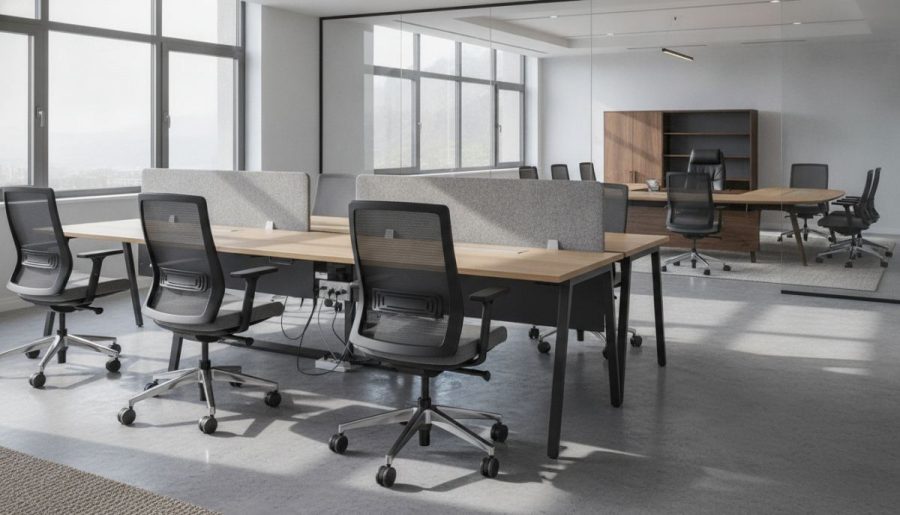
In high-density departmental floors, multi-user workstation desks maximize floor plan efficiency. Nevertheless, high density must never compromise individual acoustic and physical boundaries. The integration of fabric-wrapped acoustic dividing screens dampens ambient speech transmission and blocks peripheral visual movement, creating a calm personal micro-environment. Applying rigorous standards of desk ergonomics ensures that each team member operates within a self-contained, balanced work zone. For comprehensive layout methodologies, consult our detailed resource on open office furniture solutions.
Balancing Prestige with Human Engineering in Executive Offices
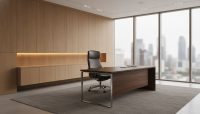
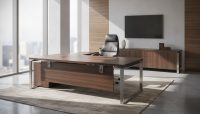
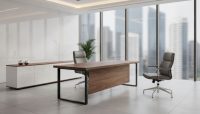
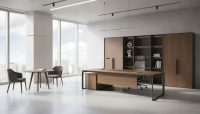
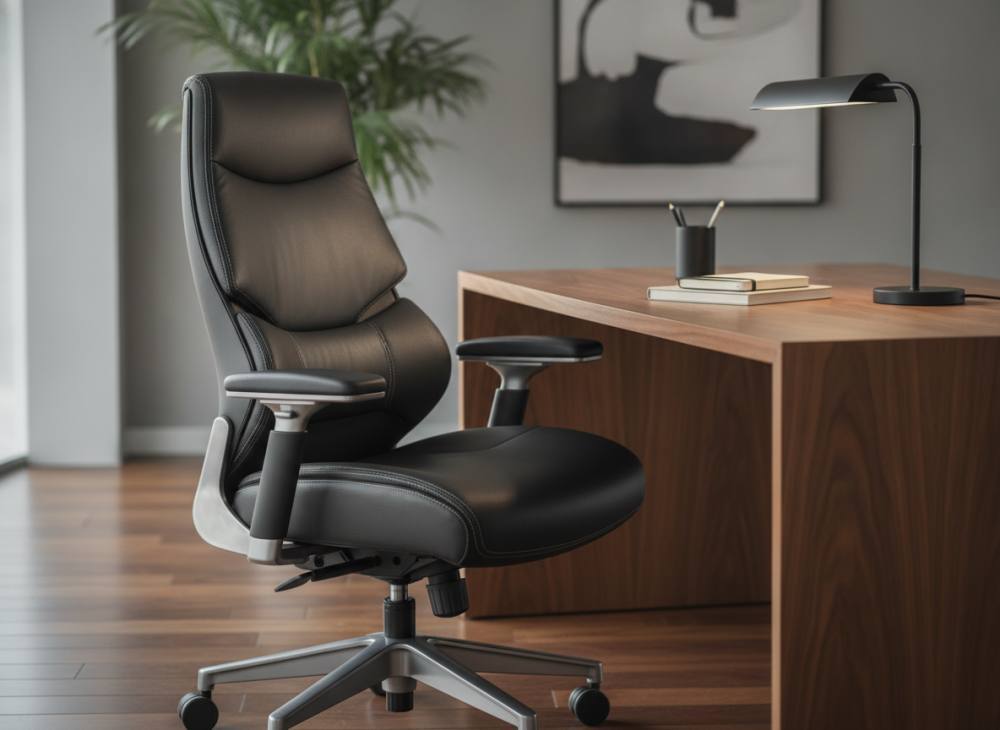
Executive management offices demand high-end finishes, substantial forms, and refined architectural detailing to communicate organizational stability and corporate prestige. However, sacrificing anatomical support for visual grandeur imposes physical penalties on leaders navigating lengthy executive schedules. Modern executive chairs and conference suites achieve this balance through integrated synchronous tilt mechanisms concealed beneath refined leather or upholstery, paired with broad meeting surfaces characterized by softly chamfered edge profiles that eliminate forearm pressure marks during multi-hour strategy meetings.
Common Ergonomic Pitfalls to Avoid in Corporate Office Procurement
During competitive procurement and workspace outfitting, oversight in technical details can undermine capital investments. Identifying standard planning errors safeguards corporate budgets and ensures long-term operational satisfaction:
- Prioritizing External Aesthetics Over Biomechanical Adjustability: Selecting seating items solely from glossy catalog photography without assessing lumbar depth travel, foam density ratings, or backrest recline resistance leads to rapid workplace dissatisfaction.
- Purchasing Monolithic, Non-Adjustable Seating: Equipping a diverse workforce with rigid, single-shell chairs lacking independent adjustment mechanisms creates immediate musculoskeletal strain across varying body statures.
- Overlooking Clear Legroom Bounds: Placing rigid modesty panels, poorly positioned desk return pedestals, or exposed floor electrical boxes within the knee zone restricts posture changes and forces personnel into asymmetric seated postures.
- Neglecting Ambient Lighting and Glare Orientations: Orienting workstations directly perpendicular to uncontrolled exterior glazing without accounting for visual ergonomics induces screen glare, leading to squinting, visual fatigue, and forward head tilt.
Step-by-Step Strategic Framework for Ergonomic Workplace Transformation
Executing an office renovation or planning a greenfield corporate workplace rollout requires a systematic, phased project framework. First, categorize team operational modes: software developers spending long, continuous hours analyzing code require distinctly different task seating adjustments and dual-monitor desk depths compared to mobile field teams who utilize touchdown benches for brief administrative check-ins.
During floor plan architectural rendering, secure at least 80 to 90 cm of push-back and circulation clearance behind each seated position to permit comfortable movement and unobstructed corridor transit. Procuring physical evaluation mockups for department representatives to test mechanisms prior to issuing bulk purchasing agreements represents standard risk mitigation. To review architectural layout options and select tailored commercial furnishings for your upcoming corporate project, contact our team.
Frequently Asked Questions About Office Furniture Ergonomics
What are the indispensable adjustment features of an ergonomic office chair?
An office chair must include pneumatic seat height adjustment, multi-position backrest recline locking with tilt-tension regulation, independent height-adjustable lumbar support, and multi-directional (3D or 4D) armrests. Sliding seat pan depth adjustment is highly recommended to accommodate users of different heights while maintaining proper popliteal clearance behind the knees.
What are the standard dimensions for an operational employee desk?
Standard fixed commercial work desks typically measure 73 to 75 cm in finished surface height. For an operational single-user desk supporting personal computing equipment, displays, and paperwork, industry practice recommends a minimum width of 120 to 140 cm and a functional depth of 70 to 80 cm to maintain adequate focal distance and arm support.
Do acoustic dividing screens contribute to workplace ergonomics?
Yes. Contemporary ergonomics encompasses physical biomechanics as well as environmental and cognitive well-being. Acoustic desk screens reduce ambient sound reverberation and minimize peripheral visual motion, directly decreasing mental fatigue and supporting sustained cognitive focus in collaborative layouts.
Are high-performance mesh chairs more ergonomic than upholstered foam chairs?
Both seating topologies can provide ergonomic support when constructed around a sound anatomical frame. Breathable mesh backrests excel in promoting thermal comfort and air circulation in warm or crowded settings. Conversely, high-density molded foam upholstered in durable commercial fabric or leather provides even weight distribution, preventing localized ischial pressure points during extended analytical tasks.